A door will not open
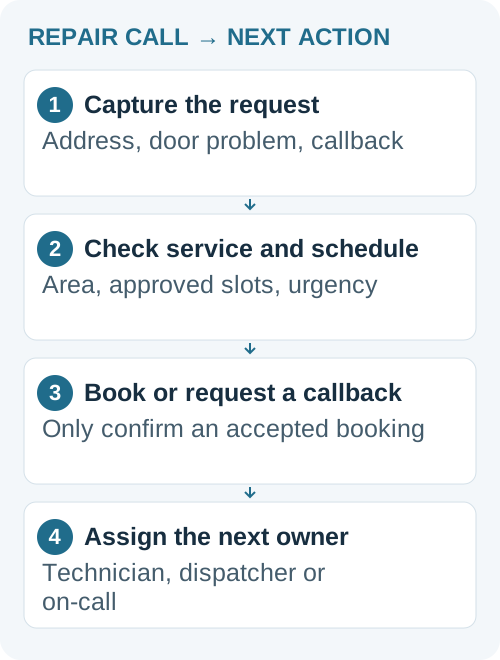
Capture the service address, callback number, door position and what the caller reports. Check whether they are asking for urgent help and follow your escalation rule.

Outsourced support teams
Answering services
 Unified CCaaS platform Voice, chat, QA, and workforce management — unified.
Outsourced support teams
Hire Your TeamManaged ServicesPay per ResolutionEcommerce Support OutsourcingAmazon Support OutsourcingMultilingual SupportQuality AssuranceAnswering services
Answering ServiceAI Answering ServiceAfter-Hours & 24/7Bilingual (EN·ES)For Small BusinessFor Law Firms All Services See PricingIndustries / Garage doors
A garage door answering service keeps repair calls moving while your technicians are on the job. Callnovo can collect the address, door problem and callback details, book against approved availability, and pass urgent requests to your designated person. You set the service area, schedule and decisions the team can make.
Discuss your coverage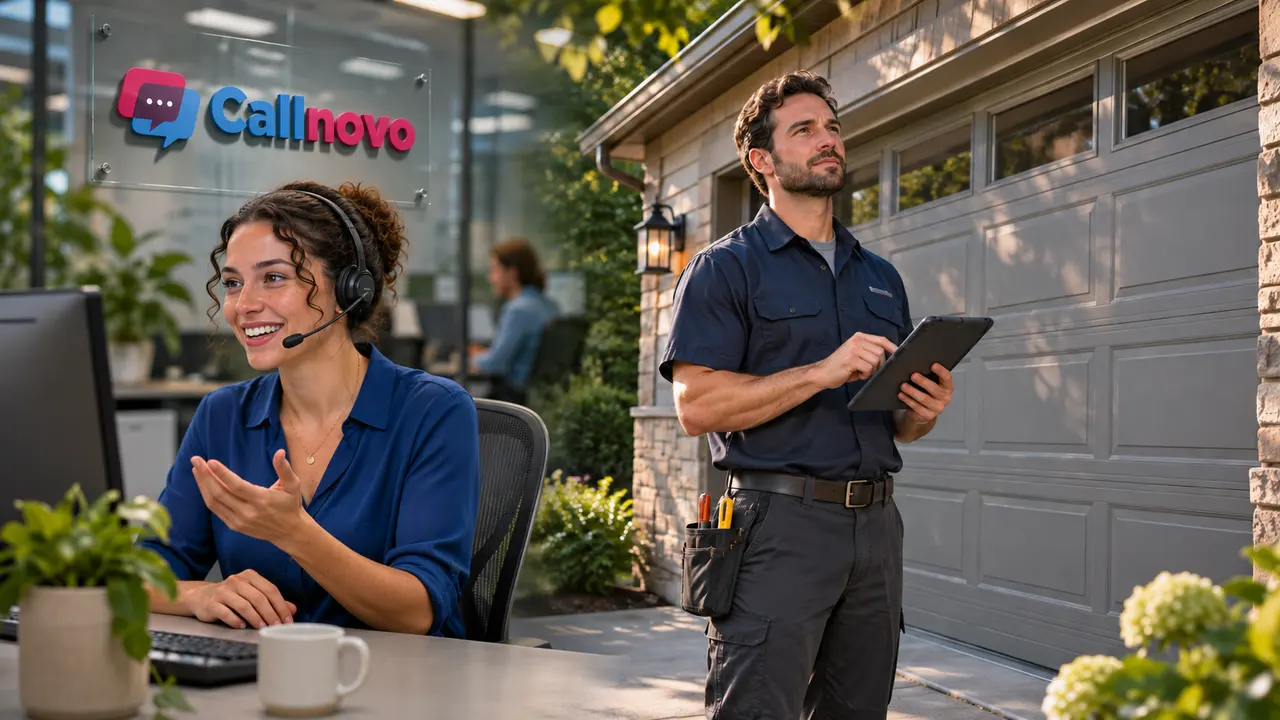
01
A homeowner with a car stuck in the garage needs a clear next step. A customer arranging a replacement door may need a different conversation. Give both callers a way to reach your business without making the technician stop work to take every call.
AI can handle approved routine questions and collect the request. Live agents can take conversations that need more explanation or a decision within their agreed authority. Your business keeps control of estimates, technical advice and exceptions.
Capture the service address, callback number, door position and what the caller reports. Check whether they are asking for urgent help and follow your escalation rule.
Collect the property details, the customer's goal and preferred contact time. Arrange an estimate appointment only within your approved booking rules.
Find the request, record the change and confirm the available next step. If a new slot is not approved, create a callback request instead of promising a visit.
02
Start with the information your dispatcher needs: customer name, callback number, address, service type and the customer's description of the problem. Check the service area before offering an appointment.
Where booking access is configured, the team can use your approved availability. A requested time stays a request until it is confirmed in the system. If the schedule cannot be reached or a slot needs approval, the caller gets a clear explanation and the request goes to the person responsible for calling back.
After-hours intake can be arranged. Technician availability, response targets and the fallback when nobody answers must be agreed separately.
03
Give the answering team a named on-call contact, the circumstances that require an escalation and a backup route. A trapped vehicle may be urgent for the caller, but that does not establish that a technician is available or that the problem can be diagnosed over the phone.
Agents collect the customer's description and follow your approved safety wording. They do not guide callers through adjusting springs, cables or other repair work. DASMA advises using trained door-system technicians for spring and cable repairs; CPSC also warns about garage-door entrapment risks.
For an immediate threat to a person's safety, the script should direct the caller to the appropriate local emergency service. The answering service is not emergency dispatch. Log the escalation and the person notified so your team can follow up.
Safety references: DASMA garage-door safety guidance · CPSC garage-door safety guidance
04
Choose around the work and hours you need covered. Occasional overflow calls, a regular daytime queue and a dedicated service coordinator call for different arrangements. Standard Callnovo projects use dedicated staffing; shared support can be assessed for lower-volume or backup needs.
US$0.15
per active AI minute · English
US$200 monthly minimum per voice bot. Carrier and number charges are separate.
US$0.15
per customer session
A session uses a 24-hour window. US$200 monthly minimum for the message bot, separate from the voice bot.
From US$650
per month · 1,500 included minutes
Phone coverage Monday–Friday, 9 a.m.–5 p.m. Eastern Time. Nights, weekends and any extra volume need an agreed scope.
From US$5.80
per hour, per agent
Dedicated staffing from half a seat to 200+ seats. Language, skills, coverage and project requirements affect the final quote.
For larger projects with a defined, verifiable outcome, outcome-based pricing starts at US$1 per agreed resolution, with a US$200 monthly minimum. Unresolved attempts do not incur a result fee; the monthly minimum still applies. Routine message-taking does not automatically qualify. Confirm eligibility and the resolution definition in the proposal.
Read the full pricing and package conditions.
These are starting references, not a promise that every garage-door account has the same monthly cost. Review the full scope before choosing.
05
Callnovo supports Jobber and ServiceTitan integration. During setup, agree which records agents can read or update, which appointments they can book and where failed updates should go. The connection needs to match your actual account permissions and dispatch process.
Before live calls, test a normal booking, an urgent callback and an unavailable schedule. Your dispatcher should be able to see the caller's details, requested action, current status and owner without reconstructing the conversation.
Standard staffing can be ready in as little as five days. Training, access, pilot checks and connections to your own systems determine the full launch schedule. Supply service-area rules, opening hours, approved estimate language and an on-call contact list to prepare the setup.